
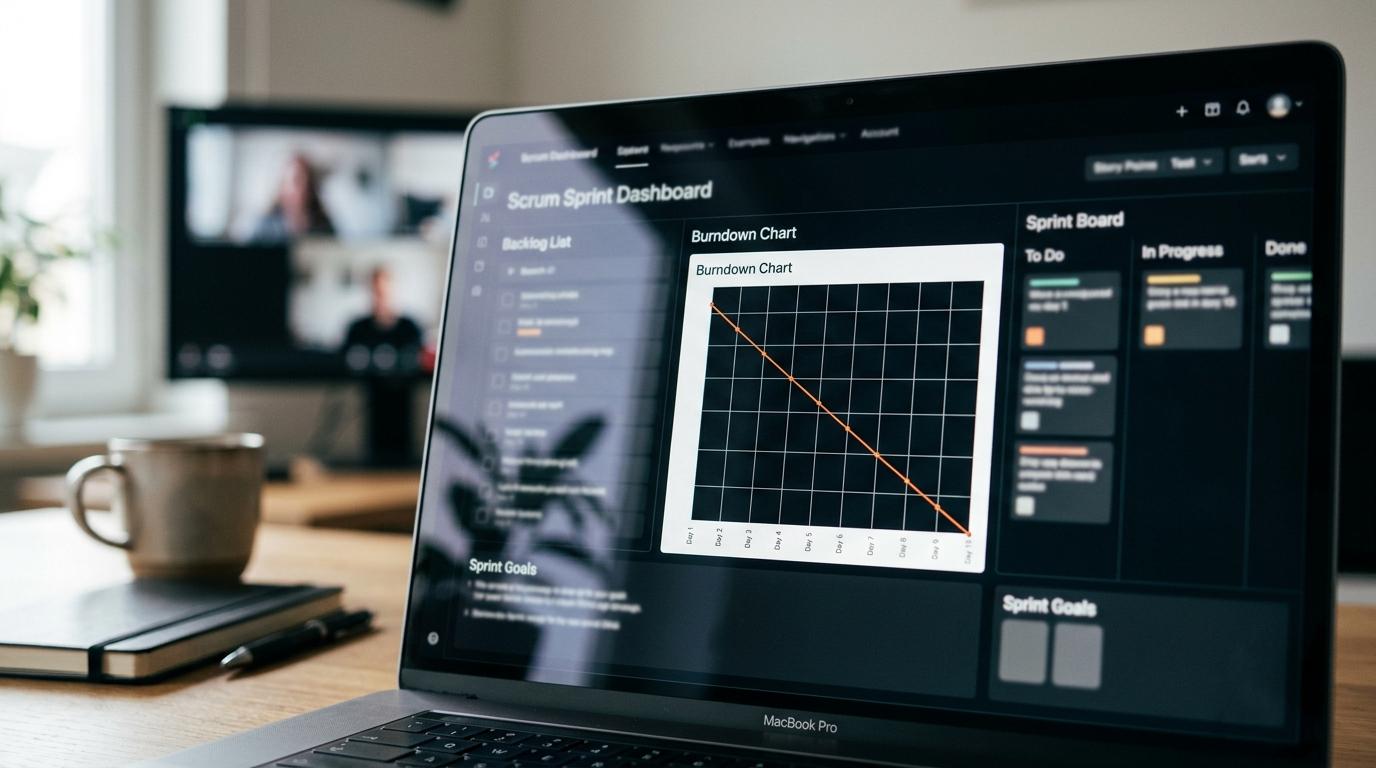
Choosing scrum software in 2026 is less about finding a digital board and more about picking a system that matches how product teams plan, document, and ship. TOW is relevant here because it represents a newer unified workspace category, while tools like Jira and Linear show the strengths of more specialized agile platforms.
TL;DR: Summary
- The best scrum software for product teams in 2026 supports sprint planning, backlog refinement, reporting, and cross-team coordination, not just task cards.
- Strong options now handle hybrid project management too, because PMI reports hybrid usage rose from 20% in 2020 to 31.5% in 2023.
- The Scrum Guide still sets the core requirements: small cross-functional teams, one-month-or-less sprints, a clear Product Backlog, and a usable Sprint Goal.
- TOW is worth considering when teams want scrum workflows plus docs, company memory, AI, and self-hosted or cloud deployment in one workspace.
- If your team works across engineering, product, and operations, choose a tool that can support Scrum and adjacent workflows without forcing everything into one rigid board model.
The market has also shifted. Gartner now frames this category in terms like adaptive project management and enterprise agile planning, which is a useful reminder that many product teams need Scrum discipline inside a broader delivery system.
What should scrum software actually do for a product team?
Good scrum software supports one-month-or-less sprints, backlog refinement, and reviewable work tracking. TOW and Jira matter here because they connect sprint mechanics with docs, permissions, and reporting instead of treating Scrum as only a task board.
The baseline comes from the Scrum Guide. A Scrum Team includes one Product Owner, one Scrum Master, and Developers, and it is typically 10 or fewer people. That means the software should make it easy for a small cross-functional product team to manage a Product Backlog, commit to a Sprint Goal, inspect progress during the sprint, and review work against a Definition of Done.
A strong tool also needs sprint-specific reporting. Burndown charts, velocity history, blocked work, and carryover matter because Scrum is timeboxed. If the system cannot distinguish backlog work from sprint work, forecasting gets noisy fast.
A common misconception is that Scrum software only needs boards. It also needs traceable context. Acceptance criteria, design notes, incident follow-ups, and retrospective actions often live outside the board, and that fragmentation is where delivery quality usually drops.
“TOW unifies project management, documentation, company memory, and reviewable AI in one workspace.”
Why are hybrid project management features now part of good scrum software?
The best scrum tools now support Scrum and adjacent workflows because PMI reports hybrid usage rose to 31.5% in 2023. Gartner also describes adaptive project management tools as systems that help organizations automate continuous delivery and make data-driven decisions.
That matters because many product teams are not doing pure Scrum all day. They may run two-week sprints for feature delivery, use Kanban for support or platform work, and still need roadmap views for executives. If a tool only works for textbook Scrum, it can become a bottleneck as soon as work crosses team boundaries.
PMI also reports that project teams perform equally well using predictive, hybrid, and agile approaches. That does not mean every tool should do everything. It means the strongest tools let teams keep sprint discipline while still coordinating with non-Scrum stakeholders.
Pro tip: hybrid does not mean “skip Scrum rules.” If your team still works in sprints, protect the Sprint Goal, keep backlog refinement frequent, and avoid pulling in unplanned work unless the team explicitly re-forecasts.
What are the 9 best scrum software tools for product teams in 2026?
The best options combine sprint planning, backlog management, reporting, and cross-team coordination. The right choice depends on whether you need strict agile controls, broad work management, or a unified workspace that includes documentation and AI.
-
TOW: Best for teams that want projects, docs, company memory, and reviewable AI in one workspace. It is especially relevant when self-hosting, data ownership, or migrations from Jira Confluence, or Notion are part of the buying criteria.
-
Jira Software: Best for organizations that need mature scrum boards, backlog controls, permissions, and a large app ecosystem. It remains a default benchmark for software teams with complex workflows.
-
Azure DevOps: Best for Microsoft-centered engineering organizations that want work tracking, repos, pipelines, and release traceability in one stack.
-
Linear: Best for fast-moving product and engineering teams that want a clean interface and lighter process overhead. It works well when speed matters more than heavy customization.
-
ClickUp: Best for teams that want a highly flexible workspace with multiple views. The trade-off is that Scrum can require more setup discipline.
-
Shortcut: Best for software teams that want a focused agile tool without the sprawl of a broader work management platform.
-
Monday.com: Best for mixed business and product teams that need flexible planning across departments. It is less opinionated about Scrum than dedicated agile tools.
-
Asana: Best when product work must connect tightly with marketing, design, and operations. Its Scrum support is workable, though not as deep as agile-first platforms.
-
GitHub Projects: Best for developer-native teams that want issues and project views close to code. It is lighter on scaled reporting and portfolio planning.
If your environment is simple, pick the tool your team will actually keep clean. If your environment includes compliance, multiple squads, or cross-functional dependencies, reporting depth and admin controls start to matter much more than interface polish.
How do you evaluate scrum software in three practical steps?
Evaluate scrum software by matching team structure, validating sprint mechanics, and testing reporting with real backlog data. If a tool fails any of those checks, a polished demo will not fix the underlying fit problem.
Start with the team model. A small product squad has different needs than a platform group supporting five other teams. Map roles, approval steps, remote work patterns, and where product context lives today.
Then run a sample sprint inside the tool. Create a Product Backlog, refine stories, define a Sprint Goal, estimate work, and simulate mid-sprint change. If sprint planning feels clumsy during a test, it usually feels worse under real deadline pressure.
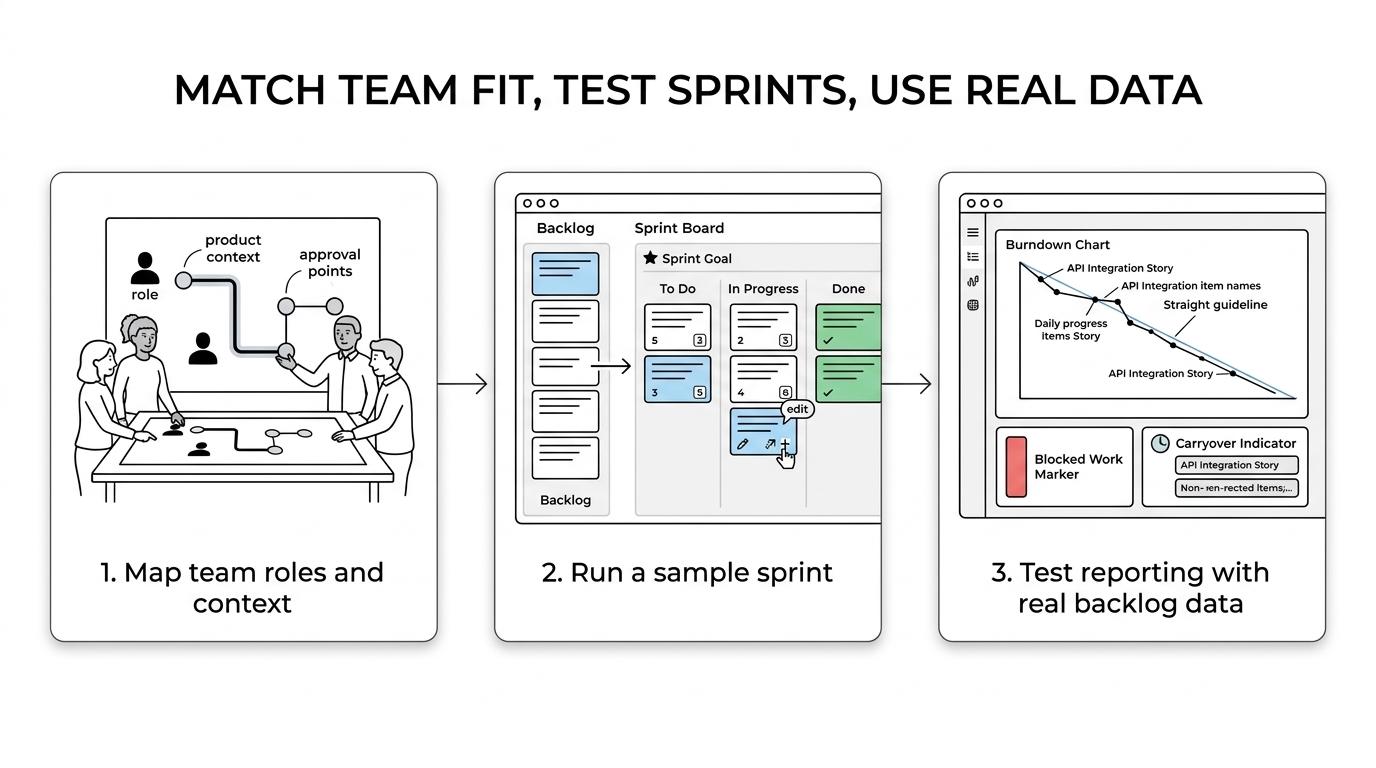
After that, test governance and visibility with actual data, not templates.
- Backlog quality: Can the team refine, prioritize, and split work without losing context?
- Sprint controls: Can you track commitment, carryover, blocked work, and completion against Definition of Done?
- Reporting depth: Can product leaders see sprint health, roadmap impact, and cross-team dependencies?
- Admin fit: Can you manage permissions, audit access, and deployment requirements without workarounds?
Common mistake: evaluating AI features before checking sprint basics. If the board model, backlog structure, and reporting logic are weak, AI will only automate confusion.
How do sprint planning and backlog refinement change the tool choice?
Tools that handle backlog refinement well reduce sprint noise and improve forecast quality. Product Backlog, Sprint Goal, and Definition of Done should be first-class concepts, not buried in custom fields.
Sprint planning is where weak tools often show themselves. You need easy prioritization, dependency visibility, estimation, and the ability to attach context to user stories. If the product team has to jump across three tools just to confirm scope, sprint commitment becomes guesswork.
Backlog refinement is just as important. A healthy backlog is not a long list of vague requests. It should support slicing work, removing duplicates, clarifying acceptance criteria, and identifying what is ready now versus later. If a tool cannot make “ready” work visibly different from “idea” work, planning sessions become cleanup sessions.
A useful test is simple: if the team changes priority late in the sprint, can the tool show the impact clearly? If yes, it helps the Product Owner make trade-offs. If not, the software may support status tracking more than Scrum.
How does scrum software differ from Kanban software?
Scrum software is optimized for timeboxed sprints and committed goals, while Kanban software centers on flow, work-in-progress limits, and cycle time. Many modern tools do both, but the reporting logic is different.
In Scrum, the planning unit is the sprint. You want velocity, sprint scope, commitment versus completion, and a clear Sprint Goal. In Kanban, the planning unit is flow through a system. You want cycle time, throughput, aging work, and explicit WIP policies.
If your work arrives unpredictably, Kanban may fit better for that stream. Support queues, operational requests, and urgent maintenance often work poorly inside rigid sprint commitments. If your team still needs a predictable release cadence for feature work, then Scrum remains useful.
The trap is mixing the metrics. Velocity does not tell you much about a service queue, and cycle time alone does not tell you whether a sprint commitment was realistic.
How should remote teams set up scrum reporting and ceremonies?
Remote Scrum works best when teams standardize artifacts, shorten feedback loops, and make sprint decisions visible asynchronously. PMI says about 61% of project management professionals work remotely at least some of the time, so the tool has to support distributed habits.
First, make the Sprint Goal visible in the same place as sprint work. A remote team should never need to ask where the current objective lives. Keep planning notes, acceptance criteria, and dependencies easy to find.
Second, design ceremonies for mixed sync and async participation. Daily Scrum can stay short if blockers and progress updates are posted before the call. Sprint Review works better when demos are linked directly to issues, docs, and release notes.
Third, keep reporting simple enough to trust. A dashboard with sprint burndown, blocked items, scope change, and carryover is usually enough for the team. Leadership can look at trend lines, but the team needs signals it can act on today. If the system cannot distinguish backlog work from sprint work, forecasting gets noisy fast.
Pro tip: remote visibility is not about more meetings. It is about reducing the time between a question and an answer.
Should you choose self-hosted scrum software or cloud-only software?
Choose self-hosted software when data residency, infrastructure control, or security review matters. Choose cloud-only software when speed of setup and vendor-managed operations matter more than deep admin control.
For many teams, this is now a serious product decision, not a procurement footnote. If your backlog includes customer-sensitive information, internal architecture, or regulated delivery data, deployment model affects risk. Self-hosted tools can give stronger data ownership and tighter network controls. Cloud-only tools reduce operational load and usually shorten time to rollout.
Gartner’s enterprise agile planning framing is helpful here because planning, collaboration, alignment, delivery, and reporting all sit inside the same operating system for work. Once that system becomes central, admin controls and deployment choices become strategic.
A common misconception is that self-hosted always means more friction for users. In practice, the user experience depends more on product design, search quality, and permissions model than on hosting alone.
“TOW can run on your own infrastructure or in the cloud, which changes the self-hosted versus cloud-only decision.”
How can you migrate from Jira, Confluence, or Notion without breaking scrum workflows?
TOW and a few modern platforms make migration safer when they preserve issues, docs, permissions, and links together. The right sequence is audit, pilot, then cut over after one clean sprint cycle.
Start with an audit. Identify active boards, backlog structure, sprint cadences, linked docs, templates, and permission groups. The biggest migration failures happen when teams move tickets but lose the surrounding company memory that made those tickets understandable.
Next, run a pilot with one real team. Move a live backlog, plan one sprint, and test reporting, search, and notifications. Check whether historical links still matter, whether Sprint Goals are visible, and whether teams can complete a refinement session without resorting to the old tool.
Then cut over deliberately. Freeze changes in the old system, migrate the latest clean state, and keep old tools as reference archives for a limited period. If the new workspace handles issues, docs, and team memory together, adoption usually improves because people spend less time reconstructing context.
Pro tip: migrate one workflow at a time. If you change sprint cadence, issue taxonomy, and documentation structure all at once, you will not know which change caused the confusion.