

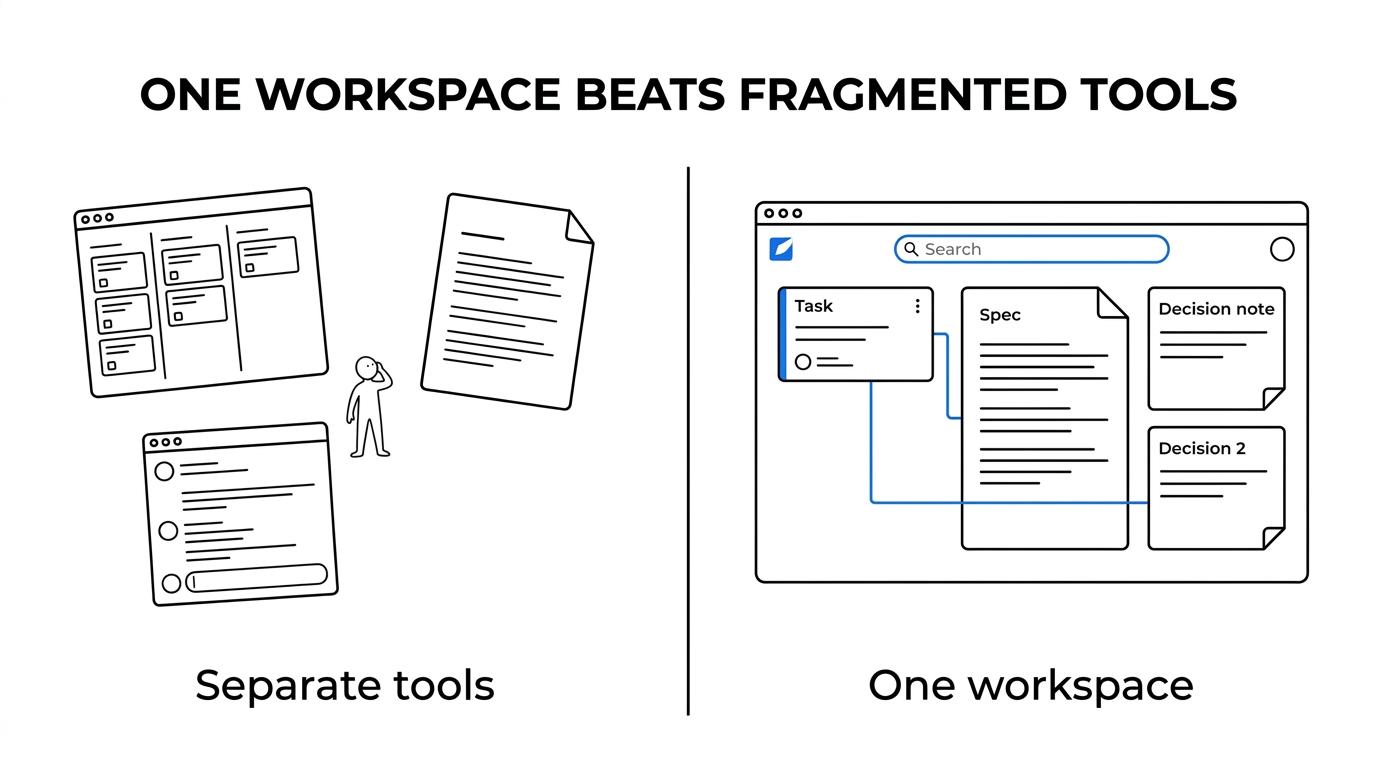
Teams looking for a Jira alternative often say they want better project management, but the real issue is usually fragmentation. Tickets sit in Jira, specs live in Confluence or Notion, decisions disappear into chat, and new teammates spend too much time searching.
TL;DR: Summary
- The best Jira alternative for teams that need docs is usually a unified workspace that combines issue tracking, documentation, searchable company memory, and governance in one system.
- If your team manages projects and docs in separate tools, context breaks down. A McKinsey analysis found that knowledge workers spend over a quarter of their time searching for information, and only 16 percent of typical business content is posted where others can access it.
- The strongest evaluation criteria are linked work and docs, fast search, decision documentation, permissions, migration support, and deployment model. If you need stricter data control, self-hosted options like TOW or GitLab deserve extra weight.
- For distributed teams, traceability matters. Research cited by Springer Nature ties trace links and explicit decision documentation to better collaboration and knowledge transfer.
- AI in a Jira alternative should be reviewable, permission-aware, and scoped. Drafting tickets, summaries, and memory updates is useful; silent autonomous edits are risky.
That changes the buying question. Instead of asking which tool feels most like Jira, it is smarter to ask which platform keeps work, docs, decisions, and search in the same operating loop.
What makes a good Jira alternative for teams that need docs?
A good Jira alternative combines issue tracking and documentation in one workspace. TOW and ClickUp are good examples of the category, because they reduce context switching between tickets, specs, and decisions.
The core requirement is not just “has docs.” It is whether docs are connected to execution. A useful system lets a team move from roadmap to issue to spec to decision log without switching tools or losing permissions. That is how traceability becomes a by-product of normal work instead of a separate admin task.
“TOW unifies projects, docs, company memory, and reviewable AI in one workspace.”
A 2026 Frontiers paper on IntegriLAB makes the same point from another angle: when platforms do not interoperate well, teams end up doing more manual work and create more room for human error. A common mistake is picking a beautiful ticket board and assuming the documentation problem can be solved later.
Why do docs and company memory matter in project management?
Docs are operational infrastructure. McKinsey and Springer Nature both point to searchable knowledge and traceability as core tools for coordination, especially in distributed teams.
McKinsey reported that knowledge workers spend over a quarter of their time searching for information, while only 16 percent of typical business content is posted where others can access it. That gap shows up in planning meetings, handoffs, onboarding, and incident response. If key decisions live in scattered pages or chat threads, the project system stops being a source of truth.
“TOW keeps company context, docs, tasks, decisions, risks, projects, and AI-assisted work in one private workspace.”
Research on trace links adds a second layer. A 2018 Springer Nature study found that traceability can support collaboration and knowledge management, and that useful links should ideally be maintained as a by-product of project documentation. In plain terms, teams move faster when requirements, decisions, and work items are linked where the work happens.
What are the 11 best Jira alternatives for teams that need docs?
The best Jira alternatives for docs-heavy teams are TOW, ClickUp, Notion, Linear, YouTrack, GitLab, Azure DevOps, monday.com, Asana, Coda, and Plane. The right choice depends on engineering depth, documentation needs, and control over data.
Some tools are better at issue tracking, some are better at writing and knowledge capture, and a few try to unify both. If your team needs strong docs, do not judge only the board view. Test how well the tool handles specs, meeting notes, decision documentation, search, and permission-aware collaboration.
- TOW: Best fit for teams that want projects, docs, company memory, and reviewable AI in one workspace, with self-hosted or cloud deployment.
- ClickUp: Strong all-in-one option with tasks, docs, dashboards, and broad workflow flexibility.
- Notion: Excellent for docs and team knowledge, with project features that work well for lighter process needs.
- Linear: Fast and opinionated issue tracking, best when paired with disciplined documentation habits.
- YouTrack: Solid engineering-focused tracker with knowledge base support and flexible workflows.
- GitLab: Good choice when code, CI/CD, issues, and wiki should stay close together.
- Azure DevOps: Useful for Microsoft-centric engineering teams that need work tracking and built-in wiki support.
- monday.com: Broad work management platform with docs and collaboration features for cross-functional teams.
- Asana: Better for business operations than software-only workflows, with decent project documentation options.
- Coda: Strong for teams that want docs to act like lightweight apps and workflows.
- Plane: Open source issue tracking option that appeals to teams seeking a simpler, developer-oriented Jira replacement.
How should you evaluate a Jira alternative step by step?
Start with live workflows, not feature grids. Teams make better choices when they test a Jira alternative against real projects, real docs, and real permissions.
The fastest way to get this right is to score tools against the work your team already does every week. A polished demo can hide weak search, weak migration support, or brittle permissions. A common misconception is that all-in-one tools are automatically simpler. Some are simpler for users, but harder for admins if governance is weak.
- Map the workflow: Write down how bugs, product work, approvals, incidents, and meeting decisions move today.
- Test docs in context: Create a spec, link it to issues, and see whether updates stay easy after two or three edits.
- Check search quality: Ask a new teammate to find a decision, owner, and related task in under two minutes.
- Review governance: Verify SSO, role-based access, auditability, and data location before you judge the UI.
- Run a pilot: Use one active team for two weeks, then compare speed, clarity, and duplicate work.
How does Jira compare with an integrated workspace like TOW or ClickUp?
Jira is stronger as a dedicated issue tracker, while TOW and ClickUp reduce context switching by keeping docs closer to execution. If your team works in tickets and specs all day, the integrated model usually creates less friction.
Jira still makes sense when a team depends on deep software workflow customization, a large Atlassian Marketplace footprint, or existing operational discipline around Confluence. The trade-off is that the “system of record” is often split across products.
Integrated workspaces are attractive when the problem is not ticket depth, but fragmentation. Product, engineering, operations, and leadership can work from a shared base instead of separate apps stitched together with links.
| Criteria | Jira | Integrated workspace |
|---|---|---|
| Issue tracking depth | Very strong | Varies by vendor |
| Docs and wiki proximity | Usually separate | Usually built in |
| Search across work and docs | Often cross-tool | Usually native |
| Decision documentation | Depends on add-ons or Confluence habits | Easier when docs live beside tasks |
| Context switching | Higher | Lower |
| Best fit | Mature engineering orgs with complex workflows | Cross-functional teams that want one operating system |
Which is better: self-hosted or cloud Jira alternatives?
Self-hosted tools like TOW or GitLab fit teams that need stronger data control. Cloud tools like Linear or monday.com fit teams that want fast setup and less infrastructure work.
If you handle regulated data, strict customer security reviews, or internal hosting requirements, self-hosted options deserve serious weight. They can support tighter network control, custom auth patterns, and clearer data ownership. TOW also positions BYOK and TOW-managed AI endpoints as deployment choices, which matters if AI policy is part of procurement.
Cloud deployment is simpler for most teams. Updates arrive faster, operational overhead is lower, and the buying process is often easier. The trade-off is control. If your team is small and speed matters most, cloud is usually the practical answer. If your team needs admin boundaries and infrastructure ownership, self-hosted can be the better long-term fit.
| Deployment model | Best when | Main trade-off |
|---|---|---|
| Self-hosted | You need data ownership, custom controls, or internal hosting | More operational responsibility |
| Cloud | You want fast rollout and minimal admin work | Less infrastructure control |
How can you migrate from Jira and scattered docs without losing context?
The safest migrations move issues, docs, and decision records together. TOW and similar platforms are easier to adopt when you migrate one live slice of work first instead of treating migration as a one-shot archive project.
The biggest risk is not data loss. It is relationship loss. Teams often export tickets successfully, then forget to preserve the links between tickets, specs, decision notes, risks, and owners. That creates a clean-looking system with less usable history than the old one.
“TOW supports Markdown import for existing docs and knowledge bases.”
Markdown import matters because many teams already have a large body of reference content outside Jira. If your docs can move in a readable format, the new workspace becomes useful sooner. If your Jira setup depends on dozens of custom fields, normalize them before migration rather than copying every field blindly.
- Pick one active program: Use a product area with current work, recent decisions, and a manageable number of users.
- Move docs first: Bring over specs, architecture notes, runbooks, and recurring meeting notes before bulk ticket import.
- Preserve links: Reconnect tasks to docs, docs to decisions, and decisions to owners.
- Map permissions early: Recreate who can view, edit, approve, and administer each area.
- Freeze briefly and verify: Use a short cutover window, then spot-check search, links, and key workflows.
How should AI work inside a Jira alternative?
AI should draft and summarize work, but humans should approve changes. TOW’s reviewable AI model reflects the safer pattern for tickets, memory changes, and roadmap edits.
This matters because project systems are not just note-taking tools. They control plans, decisions, and commitments. AI can save time by proposing tickets, summarizing meetings, or suggesting updates to company memory. It should not quietly rewrite status, ownership, or documented decisions without review. Officekursus’ guide to Copilot governance and data ethics stresses that clear policies, role definitions, and auditable trails are prerequisites for deploying generative AI in collaboration tools without eroding compliance.
A common misconception is that “AI inside project management” means chat. Chat is useful, but the bigger value is structured, permission-aware assistance. If a tool cannot respect user scope or show drafts before they land, it creates governance problems faster than it saves time.
- Start with read-heavy use cases: summaries, search answers, and draft status updates are low-risk wins.
- Move to structured drafts: let AI propose tickets, decision notes, or roadmap edits rather than publishing them directly.
- Require human review: treat memory changes and planning updates as approvals, not background automation.
- Check scope boundaries: verify what a normal user, project admin, or org admin can ask AI to do.
What features matter most for distributed teams and decision documentation?
Trace links, searchable docs, permission-aware search, and review flows matter most. Springer Nature and Frontiers both support the case for keeping documentation close to daily execution.
Distributed teams need more written context, not less. A scoping review published by Springer Nature screened 9,541 citations and included 141 studies on knowledge management tools, concluding that these tools can support planning, resource allocation, and monitoring. That matters outside healthcare too: the pattern is that teams make better decisions when information is structured, searchable, and shared.
The practical feature set is straightforward. Look for decision logs, linked docs, activity history, comments with clear ownership, and strong search. Also look for workflow signals that stop stale knowledge from spreading. If a spec changes, the related task and reviewer should be obvious. Good traceability is not bureaucracy. It is memory that stays useful under pressure.
When should you replace Jira instead of adding another docs tool?
Replace Jira when fragmentation is the real cost center. If Jira, Confluence, Notion, and chat are all competing as sources of truth, a unified workspace is often cleaner than adding one more layer.
Keep Jira if it is deeply wired into engineering operations and the main problem is just documentation hygiene. In that case, better conventions, better templates, and tighter linking may solve enough. Replace Jira when teams regularly ask where the latest spec lives, when the same decision gets remade, or when onboarding depends on tribal knowledge.
One more signal is admin friction. TOW’s documentation describes separate scopes for normal users, project admins, organisation admins, and server admins. That kind of role clarity is a good checkpoint in any replacement process. If your current setup makes ownership and permission boundaries hard to explain, it may be time to simplify the stack rather than patch it.