

A company wiki is no longer just a place to park policies and onboarding notes. For growing teams, it has become the operating layer for internal knowledge: searchable docs, trusted process information, project context, and increasingly, AI-assisted retrieval that respects permissions.
TL;DR: Summary
- The best company wiki software for growing teams depends on your operating model: TOW fits teams that want projects, docs, memory, and AI in one workspace; Confluence fits Jira-centered organizations; Notion fits flexible document-first teams.
- Modern company wiki buying criteria now center on knowledge management, not just page editing, including search quality, AI summaries, permissions, SAML single sign-on, SCIM provisioning, and workspace context.
- If your team needs strong data ownership or self-hosting, shortlist tools that support private infrastructure or clear admin controls before comparing editor polish.
- AI search is useful only when it is permission-aware, grounded in current workspace content, and able to cite sources or support human review.
- For most migrations, start with high-value content first: onboarding, policies, product briefs, technical plans, and decision records, then retire duplicates and assign page owners.
The market has shifted because knowledge work itself has shifted. Teams now expect a wiki to connect with projects, chat, identity systems, and AI, which means the best option is usually the one that reduces context loss rather than the one with the prettiest editor.
What is company wiki software today?
Modern company wiki software like Confluence and TOW is a knowledge system, not just a page editor.
A strong company wiki now combines long-form documentation, workspace search, granular permissions, and connections to daily work. That means product briefs, onboarding guides, technical plans, and policy pages should not sit in a silo that nobody checks after publishing.
TOW describes this model clearly by treating docs as part of a private workspace that also holds tasks, decisions, risks, projects, and AI-assisted work. That matters because teams do not just need pages. They need durable context that can be found, cited, and reused without digging through chat history.
“TOW positions docs, tasks, decisions, risks, projects, and AI-assisted work in one private workspace, which is a practical model for a modern company wiki.”
A common misconception is that a company wiki only serves HR or onboarding. In practice, the best wikis support engineering, product, operations, support, and leadership with the same core promise: one trusted place for information that should outlast a meeting or message thread.
Why are growing teams reevaluating the company wiki now?
They are reevaluating it because AI and knowledge management have converged, and McKinsey’s data shows this is already mainstream.
McKinsey’s November 2025 survey reported that 88% of respondents use AI regularly in at least one business function, while 23% say they have scaled an agentic AI system somewhere in the enterprise and 39% have begun experimenting with AI agents. The same survey says AI agent use is most commonly reported in IT and knowledge management.
“McKinsey reports 88% regular AI use in at least one business function, which helps explain why company wiki buyers now expect AI search, summaries, and grounded answers.”
That changes wiki evaluation criteria. Buyers now ask whether the system can search across documentation, whether answers respect existing permissions, and whether AI can act on workspace context without inventing missing facts. Pro tip: if your source material is stale or duplicated, adding AI usually makes the retrieval problem more visible, not less.
What are the 9 best company wiki software options for growing teams today?
The best company wiki software options today include TOW, Confluence, and Notion, but the right fit depends on governance, integrations, and whether docs must connect directly to execution.
A useful shortlist starts with your operating model, not brand familiarity. Some teams need a pure wiki. Others need a workspace where documentation drives projects, reviews, and AI actions.
- TOW: Best for teams that want a unified workspace for projects, docs, company memory, and reviewable AI, with self-hosted or cloud deployment options.
- Confluence: Best for Jira-centered organizations that want a connected workspace and mature enterprise administration.
- Notion: Best for flexible, document-first teams that want wiki pages, databases, and company homepages in one interface.
- Guru: Best for teams that prefer answer-first internal knowledge and lightweight verification workflows.
- Slab: Best for teams that want a simple writing experience and a focused internal knowledge base.
- Nuclino: Best for smaller or faster-moving teams that want lightweight collaboration and visual knowledge linking.
- Coda: Best when wiki pages also need to behave like interactive tools with tables, workflows, and lightweight apps.
- Tettra: Best for small teams that want internal Q&A and simple knowledge capture without much complexity.
- Document360: Best for teams that need structured documentation governance and may support both internal and external knowledge use cases.
If you are choosing among these, narrow the list to three based on architecture first: standalone wiki, unified workspace, or documentation platform with stronger governance.
How should you choose company wiki software for a growing team?
Choose based on operating model first. Notion and TOW can both work well, but only one may match how your team owns data, runs projects, and handles AI.
Start with a requirements screen before you book demos. That prevents the editor experience from overshadowing security, search, and ownership issues that become expensive later.
- System boundary: Decide whether the wiki should live beside your project tools or inside a unified workspace.
- Control model: Confirm whether you need self-hosting, BYOK, private infrastructure, or a vendor-managed cloud.
- Access model: Check SAML single sign-on, SCIM user provisioning, domain management, guest access, and permission inheritance.
- Retrieval model: Test search, citations, AI summaries, workspace context, and reviewable actions on real internal content.
If your docs often trigger follow-up work, a unified workspace usually wins because the wiki can connect directly to tasks, decisions, and roadmaps. If your team already has stable systems for execution and only needs a cleaner documentation layer, a standalone wiki may be enough.
Should you pick a standalone company wiki or a unified workspace?
Pick a standalone wiki if documentation is the main need. Pick a unified workspace like TOW or Confluence if knowledge must drive execution.
A standalone wiki can be easier to adopt because the use case is narrow and clear. Teams often like this when they already have strong project tooling and want minimal change management.
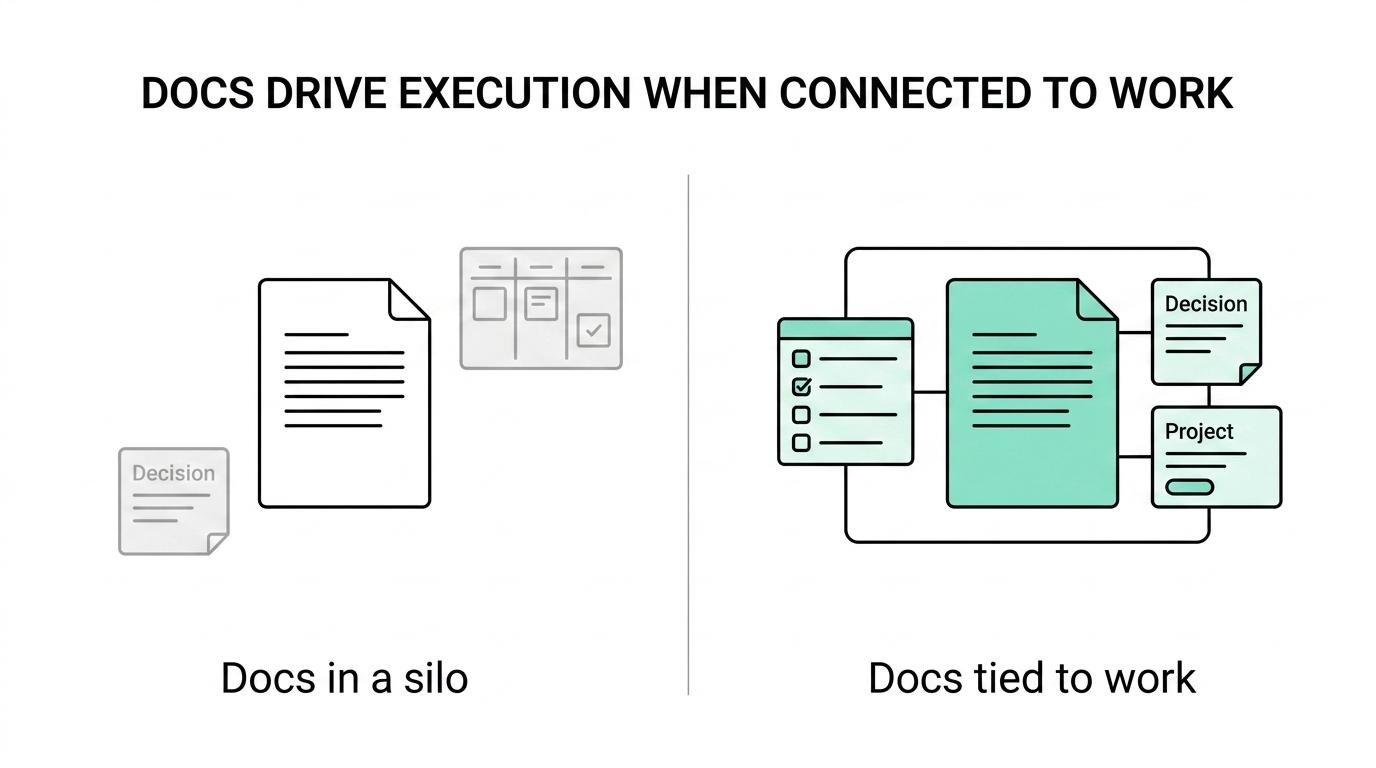
A unified workspace changes the trade-off. When docs, memory, issues, and reviews live together, teams lose less context between planning and execution. That can be valuable for product, engineering, and operations groups that constantly turn notes into tasks or decisions.
The risk is complexity. A bigger platform may ask more of admins and process owners, especially during rollout. A common misconception is that more connected tools always slow teams down. In practice, fragmentation often slows them more when the source of truth is unclear.
How do permissions, SSO, and admin controls change the decision?
They change it a lot. Notion and Confluence both surface enterprise controls because a company wiki quickly becomes sensitive infrastructure.
Once a wiki stores policies, customer research, security notes, technical plans, and internal decisions, access control stops being a nice-to-have. Look for SAML single sign-on, SCIM provisioning, auditability, role-based permissions, and page or space-level controls that map cleanly to your org.
Atlassian says Confluence Premium includes a financially backed 99.9% uptime SLA and that existing permissions are respected when using AI. That matters because the biggest failure mode in AI-enabled knowledge systems is not weak summarization. It is retrieval that exposes the wrong content to the wrong people.
“Confluence Premium includes a financially backed 99.9% uptime SLA and says AI respects existing permissions, which is a strong benchmark for enterprise wiki evaluation.”
If your legal or IT team requires self-hosting or stricter data ownership, the shortlist changes immediately. If you need vendor-managed convenience, then identity, retention, and admin tooling become the main comparison points.
How can you structure a company wiki so people actually use it?
Use a simple top-level structure. TOW Docs and Notion work best when the wiki mirrors durable work, not the org chart.
Step 1 is to create a stable homepage with links to the few destinations people need every week: company handbook, team hubs, onboarding, product knowledge, policies, and decision records. If the homepage tries to show everything, people stop trusting it.
Step 2 is to organize by use case instead of department politics. A product brief, incident process, or procurement policy should live where any relevant person can predictably find it. Pro tip: pages that answer repeated questions deserve permanent placement, while temporary updates usually do not.
Step 3 is governance. Assign an owner, define a review cadence, and mark pages that are canonical versus draft. Without ownership, even a well-designed wiki becomes a museum of partially true pages.
Is AI search actually useful in a company wiki, or just a feature checkbox?
It is useful when it is permission-aware and grounded. It is a checkbox when it only paraphrases pages without workspace context.
The difference is easy to test. Useful AI search can answer cross-document questions, surface the right source pages, and stay within a user’s permissions. Weak AI search summarizes one document nicely but fails on real team questions like, “What is the current incident response path for customer-facing outages?” or “Which technical plan superseded this API proposal?”
Confluence explicitly ties AI to connected content, and TOW emphasizes reviewable, workspace-aware AI actions with durable context. That points to the real buying standard: not whether AI exists, but whether it can retrieve, cite, and act responsibly within the company knowledge system.
A practical test is to run ten real internal queries across your shortlist. If users cannot tell where the answer came from, or if the system ignores recent decisions, the AI layer is not mature enough yet.
How do you migrate from scattered docs into a company wiki without breaking work?
Migrate in phases. Jira, Notion, and Confluence content should move by business value first, not by folder count.
Step 1 is inventory. Find where critical knowledge currently lives: old wiki pages, cloud docs, chat threads, project tools, and personal notes. Then sort content into keep, merge, archive, or rewrite. Do not import noise just because it exists.
Step 2 is move the highest-value knowledge first. Start with onboarding, policies, active product documentation, technical plans, and recurring operating procedures. TOW’s own docs list product briefs, strategy notes, customer research, technical plans, policies, process docs, onboarding material, and meeting notes as strong wiki candidates, which is a practical migration sequence.
Step 3 is cut off duplication. Assign one canonical home for each content type, add redirects or navigation pages, and freeze old locations once the new wiki is validated. If chat is the only place a decision exists, convert it into a durable page before the next sprint or review cycle.
Which company wiki use cases matter most for onboarding, policies, and product work?
The highest-value use cases are consistent across tools like Notion and TOW Docs: onboarding, policies, product documentation, and recurring operational knowledge.
Growing teams usually get the fastest return when the wiki answers repeat questions that otherwise interrupt people every day. That includes how new hires ramp up, where official policies live, how product decisions are documented, and what process the team follows during recurring work.
- Onboarding: first-30-day guides, role expectations, glossary, system access paths
- Policies: HR, security, procurement, incident response, approval paths
- Product work: briefs, strategy notes, customer research, technical plans, decision records
- Operations: meeting notes, goals, risks, recurring reviews, process documentation
These categories connect more than most teams expect. Onboarding depends on policies. Product work depends on technical plans and decision logs. Operations depend on accurate process docs. When the wiki is structured around those dependencies, adoption rises because the system reflects how work actually gets done.