

Atlassian’s Data Center end-of-life announcement changed the tone of self-hosted planning for a lot of teams. What once felt like a distant platform decision is now a calendar-backed migration project, with real deadlines, real dependencies, and real pressure to choose a stable replacement before the window narrows.
That shift does not have to turn into a long, risky rebuild.
Teams leaving Jira Data Center and Confluence Data Center usually want three things at the same time: self-hosted control, familiar operating workflows, and a migration path that does not eat months of admin time. TOW is built for exactly that moment. It combines projects, docs, company memory, and reviewable AI in one self-hosted workspace, and it offers a one-click migration path for Jira Data Center and Confluence Data Center so teams can move with far less friction.
Atlassian Data Center end-of-life timeline and migration pressure
Atlassian has set a clear timeline for Data Center customers. Data Center reaches end of life on March 28, 2029, and existing customers can expand licenses only until March 30, 2028. Atlassian has also stated that Data Center Marketplace app sales for existing customers end on that 2028 date.
That may sound far away, but most infrastructure migrations do not happen quickly once you count plugin reviews, permission audits, workflow mapping, testing, training, and cutover planning. Teams that depend on Jira and Confluence as daily operating systems usually need a real runway.
A calm migration plan starts by treating those dates as planning markers, not panic triggers.
- 2028 matters: expansion flexibility tightens before end of life
- 2029 matters: the platform support window closes
- Vendor app dependencies
- Internal change management
- Security and compliance review
- Training for new workspace habits
The main point is simple. If your team wants to remain self-hosted after Atlassian Data Center, now is the right time to choose a destination and test the move on your terms.
Core Jira Data Center and Confluence Data Center functionality teams must keep
Most teams do not want a “new way to work.” They want their existing model to keep working, just in a platform they can continue to control. That means project boards, ticket workflows, issue keys, docs, permissions, and exports cannot be treated as optional details.
This is where many migrations go wrong. A replacement may look modern, yet still break the daily logic of how work moves through engineering, product, IT, or operations.
TOW is positioned as a self-hosted workspace that brings those core surfaces together in one place, rather than asking teams to stitch together separate products for tickets, documentation, internal memory, and AI-assisted work.
| Atlassian Data Center need | What teams expect | TOW replacement |
|---|---|---|
| Jira-style issue tracking | Structured tickets, project scope, board views | Projects with tickets in board and list views |
| Stable issue references | Predictable IDs for daily collaboration | Stable issue keys for project tickets |
| Workflow control | Different lifecycles by work type | Workflow schemes with ticket type mappings |
| Confluence-style docs | Team knowledge, process docs, specs | Docs and wiki inside the same workspace |
| Access control | Admin oversight and project restrictions | Open or restricted projects with admin control |
| Export and restore options | Data portability and operational confidence | Permission-aware exports plus full backup options |
| Self-hosting | Infrastructure ownership | Self-hosted deployment or cloud |
That functional match is a big reason teams can switch without rethinking everything they do.
How TOW replaces Jira Data Center and Confluence Data Center workflows
TOW is not just a place to import old records. It is meant to replace the operating model that Jira and Confluence teams already know. Tickets can be viewed in board and list formats. Projects use scoped work views. Tickets keep stable issue keys. Workflow schemes map ticket types to the lifecycles that fit them, which is essential for teams that treat bugs, stories, epics, and subtasks differently.
On the documentation side, TOW brings docs and workspace memory into the same environment as project execution. That matters because many teams are trying to leave not just Atlassian Data Center, but also the fragmentation that grew around it over time. When requirements live in one place, tasks in another, and AI tools in a third, simple work starts to slow down.
TOW also supports the governance model self-hosted teams care about. Projects can be open or restricted, admins can manage access across the organization, and exports follow permissions and scope. That combination gives teams continuity without giving up control.
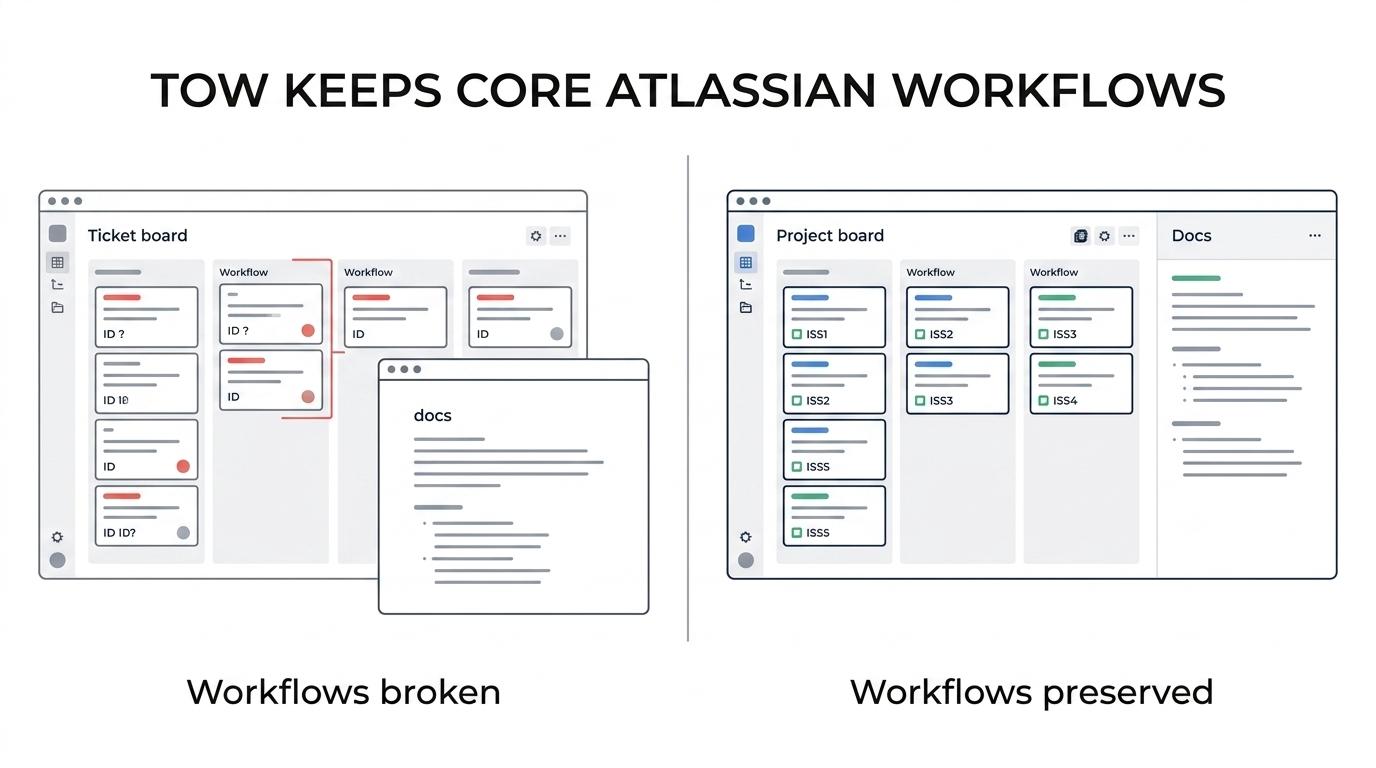
And control is usually the point.
A strong replacement should preserve the habits people rely on every day:
- stable issue keys
- board and list ticket views
- project-level workflow logic
- restricted and open project access
- docs next to execution
- export and backup paths
For teams planning an Atlassian Data Center exit, that makes TOW feel less like a disruptive switch and more like a clean platform move.
How the one-click Atlassian Data Center migration to TOW works
The phrase “one click” should mean something practical. It should not mean “click once, then spend six weeks fixing imports by hand.” In a serious migration, one-click value comes from reducing the repetitive admin work: mapping source data, preserving structure, carrying over projects and docs, and getting teams into a usable destination quickly.
TOW documents migration paths from Jira Data Center and Confluence Data Center, and the product is designed to bring project and docs content into one workspace. That is what makes the move faster. You are not exporting from one tool and then rebuilding the missing half somewhere else. Projects and documentation land inside the same system.
In practice, the process is usually straightforward. You connect the migration source, select what you want to bring over, run the import, and then review the result inside TOW before wider rollout. Teams can validate workflows, check permissions, confirm issue structures, and verify document organization without rebuilding their operating model from scratch.
A reassuring migration plan usually looks like this:
- Before import: identify active Jira projects, Confluence spaces, users, groups, and any content you no longer need
- During import: bring over projects and docs into TOW with their operational structure intact
- After import: review permissions, workflow behavior, key references, and linked documentation before team-wide cutover
That is the difference between a migration project and a reinvention project. Most teams want the first one.
Atlassian Data Center migration checklist for a low-risk cutover
A successful move is usually less about technical heroics and more about disciplined preparation. Even with a one-click migration path, the best results come from deciding what matters most before you import anything.
Start with a pilot group. Pick one cross-functional project that uses tickets, docs, and permissions in a way that reflects real complexity. If that team can move cleanly, the rest of the rollout gets much easier.
Then work through a short checklist:
- Audit your current Jira Data Center and Confluence Data Center footprint.
- Separate active projects and spaces from stale content.
- Confirm workflow expectations, permission rules, and ownership.
- Run the TOW migration on a pilot set first.
- Validate daily work inside TOW before full cutover.
This step matters more than many teams expect. A pilot does not just test the data. It tests whether people can create tickets, move work across statuses, find docs, search old decisions, and keep operating without friction.
If the answer is yes, the migration stops being theoretical. It becomes a rollout plan.
Self-hosted workspace control after Atlassian Data Center
A lot of Data Center customers were not just buying features. They were protecting control over deployment, governance, and data location. Any replacement has to respect that.
TOW does. Teams can run it on their own infrastructure or in the cloud, depending on what fits their security and operations model. That gives organizations a path forward without forcing a cloud-only decision when that is not acceptable.
There is another important shift here. Many teams now want AI support inside their workspace, but they do not want that support operating as a black box. TOW’s model includes reviewable, permission-aware AI actions, with the option to use BYOK or TOW-managed AI endpoints. That means teams can add AI assistance to projects and docs without losing the admin control that led them to self-host in the first place.
For organizations leaving Atlassian Data Center, that is not a small bonus. It is a chance to replace old infrastructure with a workspace that matches current expectations for control, search, automation, and shared memory.
What to do next for your Atlassian Data Center migration
If your team is planning around the 2028 and 2029 Atlassian deadlines, the most useful next step is not a giant migration committee. It is a short validation cycle with real data. Choose a representative Jira project set, choose related Confluence spaces, and test how they land in TOW.
That gives you answers fast. Can your workflows map cleanly? Do your docs stay usable? Are permissions easy to verify? Can teams work from boards, issue keys, and project scopes without retraining their brains?
When those answers are clear, the path out of Atlassian Data Center gets a lot simpler. You are no longer choosing between staying put and starting over. You are moving to a self-hosted workspace that keeps the same core functionality teams depend on, adds reviewable AI and unified company memory, and makes the migration itself far easier to manage.