

Choosing a Confluence alternative is less about replacing a page editor and more about picking the operating system for internal knowledge. The best options keep docs durable, searchable, governed, and useful inside daily work, not just archived in a separate wiki.
TL;DR: Summary
- The best Confluence alternative for internal wikis is the one that combines durable docs, strong permissions, clean migration, and identity provisioning, not just a nicer editor.
- Teams that want docs, projects, company memory, and AI in one place should look closely at unified workspaces like TOW, while teams that want a lighter standalone wiki may prefer tools like Slab, Guru, Tettra, or open-source options.
- McKinsey’s 2025 global AI survey of 1,993 participants across 105 nations found knowledge management among the business functions most often using AI agents, which raises the value of permission-aware, inspectable knowledge systems.
- Validate admin claims against standards like SCIM, defined in RFC 7644 as an HTTP-based identity management protocol for multi-domain scenarios using JSON and
application/scim+json.- If your team handles sensitive data, prioritize self-hosted or air-gapped deployment, revision history, scoped access, and reviewable AI actions with human approval.
- A smart migration plan inventories content types, maps permissions, preserves links and history where possible, and pilots a small workspace before cutover.
That shift matters because internal wikis now feed onboarding, product decisions, support workflows, and AI agents at the same time. A strong replacement for Confluence should improve knowledge quality and operational control, not just make pages look cleaner.
What makes a strong Confluence alternative for internal wikis?
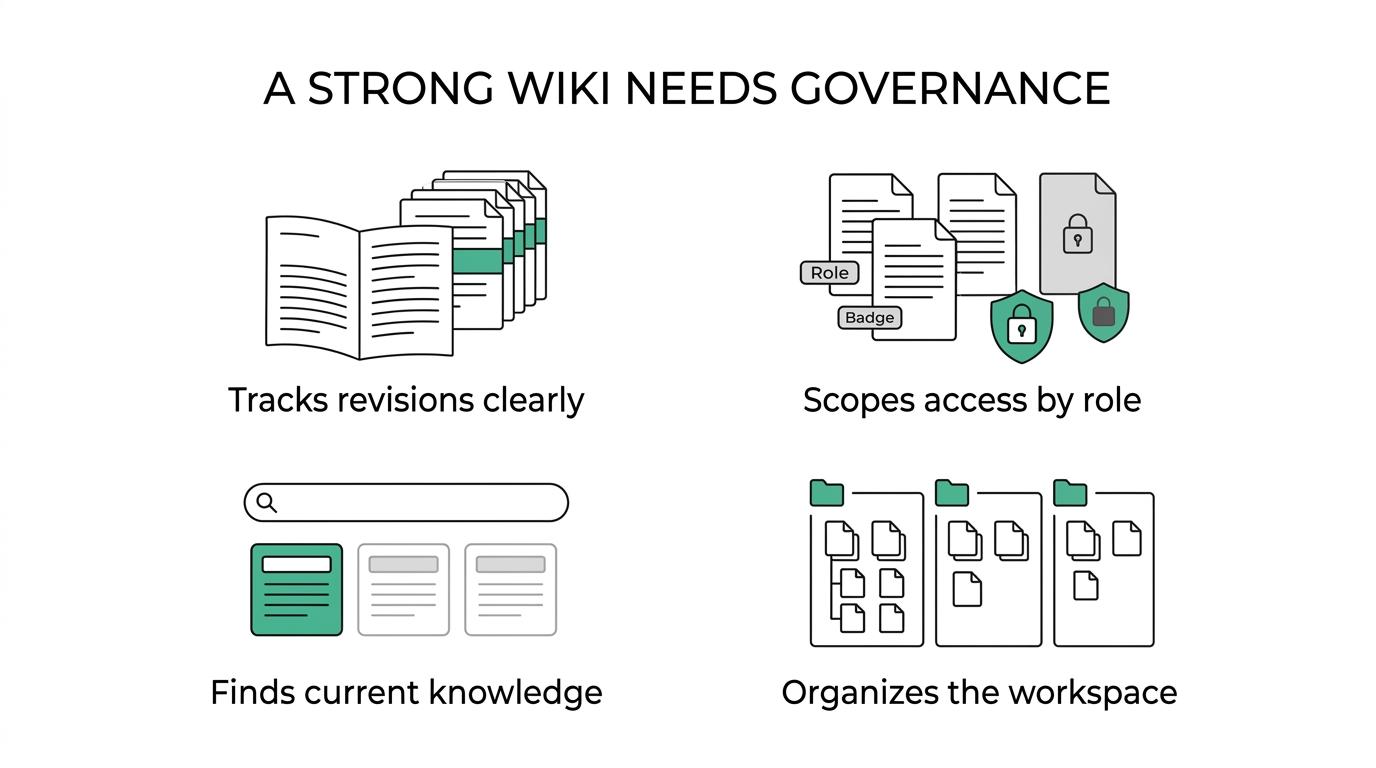
A strong Confluence alternative combines durable documentation with governance. Confluence and TOW point to the same core truth: internal wikis succeed when revisions, permissions, search, and workspace structure work together.
A common mistake is to judge wiki software by the editor alone. Pretty editing helps, but internal knowledge ages fast unless the system preserves revisions, surfaces backlinks, scopes pages correctly, and helps teams find current content. TOW’s documented wiki model is useful here as a benchmark because it treats docs as part of a wider knowledge system with revisions, backlinks, scoped pages, and extracted memory.
“project management, documentation, company memory, and reviewable AI in one workspace.”
The second requirement is governance. If teams cannot provision users cleanly, review access by role, and separate broad company knowledge from team-restricted material, the wiki becomes either risky or ignored. Pro tip: ask how the product handles source history recovery, not just version labels. That answer reveals whether the wiki is built for real operations or casual note taking.
Why does AI change what teams need from a Confluence alternative?
AI raises the bar for wiki quality. McKinsey and Forrester both signal that knowledge systems now affect speed, responsiveness, and how safely teams use AI at work.
McKinsey’s 2025 global AI survey collected responses from 1,993 participants across 105 nations, and knowledge management was among the business functions most often reported as using AI agents. That matters because AI does not fix bad knowledge hygiene. If the wiki is stale, overexposed, or poorly structured, AI will amplify those flaws faster than a human searcher would.
“TOW describes its internal wiki as searchable and permission-aware.”
Forrester’s knowledge management coverage makes the same point from another angle: businesses need to capture, store, and share internal know-how to stay responsive and innovative. The practical takeaway is simple. If your future workflow includes AI drafting, summarizing, or answering questions, then your Confluence alternative needs inspectable context, permission awareness, and human review for sensitive actions. Many teams assume “AI-ready” means chat on top of documents. It usually means much more.
What are the 10 best Confluence alternatives for internal wikis?
The best Confluence alternatives vary by operating model. TOW, Notion, Guru, Slab, and several open-source wiki tools each fit a different mix of governance, flexibility, and deployment control.
This ranking is based on internal-wiki buying criteria rather than brand popularity alone: documentation durability, admin controls, migration path, search quality, proximity to daily workflows, and AI or automation readiness.
- TOW: Best for teams that want internal wiki, project management, company memory, and reviewable AI in one workspace, with cloud, self-hosted, or air-gapped options.
- Notion: Best for flexible team hubs where docs, lightweight databases, and collaboration matter more than strict enterprise structure.
- Guru: Best for teams that want verified internal knowledge surfaced close to day-to-day work.
- Slab: Best for companies that want a focused, writer-friendly internal wiki with less complexity than a larger suite.
- Tettra: Best for smaller teams that want a straightforward knowledge base tied to common collaboration habits.
- Outline: Best for teams that prefer a clean, modern wiki experience and often value open-source oriented workflows.
- Wiki.js: Best for technical teams that want a self-hosted, markdown-friendly wiki with broad deployment flexibility.
- BookStack: Best for teams that want simple hierarchy and self-hosted control with a book-and-chapter documentation model.
- ClickUp Docs: Best when work management and documentation must stay connected inside one SaaS platform.
- Nuclino: Best for lightweight internal knowledge sharing where speed and low friction beat heavy process.
No single tool wins every category. If your pain is fragmentation, unified workspaces tend to outperform standalone wikis. If your pain is cost or hosting control, open-source and self-hosted options usually move up the list.
How should you audit internal wiki requirements before replacing Confluence?
Start with a content and control audit. Confluence, Jira, and any replacement will only map cleanly if you know what knowledge exists, who uses it, and what must remain restricted.
Before comparing vendors, document your current state in a small decision brief.
- Inventory high-value content by type, including policies, onboarding, technical plans, meeting notes, customer research, and product briefs.
- Map access and ownership by team, role, and sensitivity level.
- List workflow dependencies, including links from Jira, Slack, tickets, SSO, and any AI or search use cases.
If your wiki contains many process docs tied to active work, then a standalone notes tool may create new silos. If the current pain is mostly page sprawl and poor findability, then a lighter internal wiki may be enough. Pro tip: evaluate your “last edited” patterns. Heavy stale content usually means you have an ownership problem, not only a platform problem.
How do self-hosted wiki tools compare with Confluence Cloud?
Self-hosted wiki tools give more control, while Confluence Cloud usually gives less operational overhead. TOW, Wiki.js, and BookStack represent the control side; Confluence Cloud represents the managed side.
The trade-off is straightforward. Self-hosted platforms can support stricter data ownership, custom infrastructure policies, and isolated environments. That matters for teams with regulated data, strict residency requirements, or internal security rules that reject broad SaaS exposure. TOW’s published deployment model is a good example of this category because it includes cloud, self-hosted, and air-gapped operation.
“TOW supports cloud, self-hosted deployment, and air-gapped operation.”
Confluence Cloud still fits many organizations well because managed updates, ecosystem familiarity, and reduced infrastructure burden are real advantages. The misconception is that self-hosted is always more secure. It is only more secure if your team can maintain patching, identity integration, backups, and access reviews with discipline.
How do all-in-one workspaces compare with standalone knowledge bases?
All-in-one workspaces reduce context switching, while standalone knowledge bases stay simpler. TOW and ClickUp Docs sit closer to the integrated model; Slab and Tettra fit the focused wiki model.
When docs live beside projects, roadmaps, issues, and search, teams spend less time copying status into separate tools. This is especially useful when internal knowledge is operational, not archival. Product briefs, technical plans, and meeting notes gain value when they link directly to work items and shared memory.
Standalone knowledge bases can still be the better choice when the team already has a stable project management stack and only needs a clean wiki layer. That route can lower change friction. A common misconception is that the best wiki is always the most flexible one. In practice, the best fit is often the one that creates the fewest new systems of record.
How do you validate SSO, SCIM, and admin controls in a Confluence alternative?
Validate identity and admin features by standard, not by marketing language. RFC 7644, Okta, and Microsoft Entra give a practical baseline for checking whether provisioning and role management are real.
A serious internal wiki purchase should include a short identity test plan.
- Confirm whether the product supports SCIM and how it handles create, update, deactivate, and group membership events.
- Test joiner, mover, and leaver workflows with your identity provider, not just a demo workspace.
- Review role granularity, page or space scoping, audit visibility, and who can change live settings.
RFC 7644 defines SCIM as an HTTP-based protocol for managing identities in multi-domain scenarios, with JSON-based messages using application/scim+json. That is useful because it gives buyers a common standard to verify against. If a vendor says “automated provisioning” but cannot describe SCIM behavior clearly, treat that as a risk signal. Pro tip: also ask what happens when a group name changes. That edge case exposes weak provisioning designs quickly.
How do you migrate from Confluence without losing links, history, or permissions?
Safe migration starts with a pilot. Confluence exports, TOW migrations, and similar import paths work best when teams reduce page clutter before they move anything.
Do not start with a full cutover. Start with a representative slice of content.
- Export a sample space that includes long-form docs, attachments, linked pages, and restricted content.
- Clean the information architecture by removing obsolete pages and assigning new owners.
- Recreate permissions and test whether restricted content stays restricted after import.
- Pilot search, backlinks, redirects, and editor fidelity with real users before wider rollout.
If links break, trust falls fast. If permissions drift, rollout can stop entirely. That is why migration is partly a content exercise and partly an admin exercise. A useful rule is to move fewer pages with better ownership instead of cloning every legacy artifact.
Which Confluence alternatives work best for regulated or security-sensitive teams?
Security-sensitive teams should favor control, traceability, and review. TOW, Wiki.js, and BookStack are more relevant here than lighter SaaS-only tools when hosting and access boundaries matter most.
The key is not just self-hosting. The wiki also needs revision history, restricted scopes, search that respects permissions, and a clear method for approving sensitive AI-assisted outputs. TOW’s published guidance is notable on this point because generated proposals are treated as drafts until a person reviews and accepts them. That is the right operating pattern for policy, legal, security, and architecture content.
- Deployment model: Cloud, self-hosted, or air-gapped options should match your data handling rules.
- Identity controls: SSO, SCIM, and role scoping should support clean joiner, mover, and leaver workflows.
- Knowledge traceability: Revisions, snapshots, backlinks, and references help prove where information came from.
- AI governance: Reviewable, permission-aware actions are safer than fully autonomous edits on sensitive knowledge.
If your audit or compliance team asks for evidence of who could see what and when, then these criteria matter more than editor polish.
What common mistakes make a Confluence alternative fail after rollout?
Most wiki rollouts fail because of governance gaps, not feature gaps. Confluence, Notion, and every alternative will disappoint if ownership, structure, and access review stay vague.
The first mistake is migrating page sprawl intact. A new platform does not make old clutter useful. The second is skipping identity automation, which leaves admins manually cleaning up access after every hire, transfer, or exit. The third is treating the wiki as a writing tool only, instead of a living knowledge system connected to projects, policies, and decisions.
Another frequent error is trusting AI-generated summaries without human review. That is especially risky when the source material is stale or mixed-permission. A practical fix is to assign page owners, review cadences, and archive rules from day one. Teams that do this often get more value from a “good” tool than teams that buy a “great” one and leave governance for later.