

Choosing a self-hosted documentation platform is really a decision about control, cost, and operational discipline. TOW is relevant here because it is a unified workspace for documentation, project management, company memory, and reviewable AI that can run on your own infrastructure or in the cloud.
TL;DR: Summary
- The best self-hosted documentation platform depends on your team’s governance needs, writing workflow, and internal admin capacity, with TOW, BookStack, Wiki.js, MediaWiki, DokuWiki, XWiki, Outline, and MkDocs covering the main team use cases.
- Self-hosting usually lowers licensing cost, but ISO notes it often raises hosting, configuration, customization, and maintenance effort.
- NIST guidance makes access control, logging, change management, data protection, and clear system boundaries central selection criteria for any self-hosted documentation platform.
- Teams get better results when documentation is structured consistently and connected to daily work, which matches Forrester’s view of a stronger knowledge-management backbone.
- If you need strict data ownership, role-based access control, and deployment flexibility, self-hosting can be the right model. If you lack admin capacity, a cloud tool is often the safer choice.
The hard part is not finding software. The hard part is choosing a platform that fits your content model, security requirements, and team habits well enough that people will keep using it six months from now.
What makes a self-hosted documentation platform worth it?
A self-hosted documentation platform is worth it when control over data, identity and access management, and system boundaries matters as much as writing and search. Teams in regulated, security-conscious, or infrastructure-heavy environments often value that control more than a faster SaaS setup.
The strongest case for self-hosting is governance. NIST IR 8613 frames modern environments in terms of clear system boundaries, comprehensive security documentation, and consistent enforcement of controls. That matters because documentation platforms are not just wikis. They hold architecture decisions, runbooks, incident notes, internal policies, and sometimes regulated operational knowledge.
A common misconception is that self-hosting is mostly a privacy choice. It is also an operations choice. Once you host the platform yourself, telemetry and logging, configuration and change management, backup policy, and patching cadence become your responsibility.
“TOW combines docs, project management, workspace memory, and reviewable AI in one workspace, which can reduce the sprawl that often weakens internal knowledge systems.”
When is a cloud documentation tool a better fit than self-hosting?
A cloud documentation tool is the better fit when speed, low admin burden, and predictable operations matter more than infrastructure control. Small teams, public-facing knowledge bases, and companies without dedicated platform owners usually benefit from SaaS first.
ISO’s platform-selection guidance is useful here. Entry-level open-source tools often have very low licensing cost, sometimes free, but they usually require more hosting, configuration, and customization effort. BranchDev makes the same point in its overview of software maintenance and support services, arguing that patching, monitoring, and operational ownership are usually where self-managed systems become more expensive than they first appear. If your team cannot consistently manage upgrades, authentication, backups, and permissions, a self-hosted stack can cost more in labor than it saves in licensing.
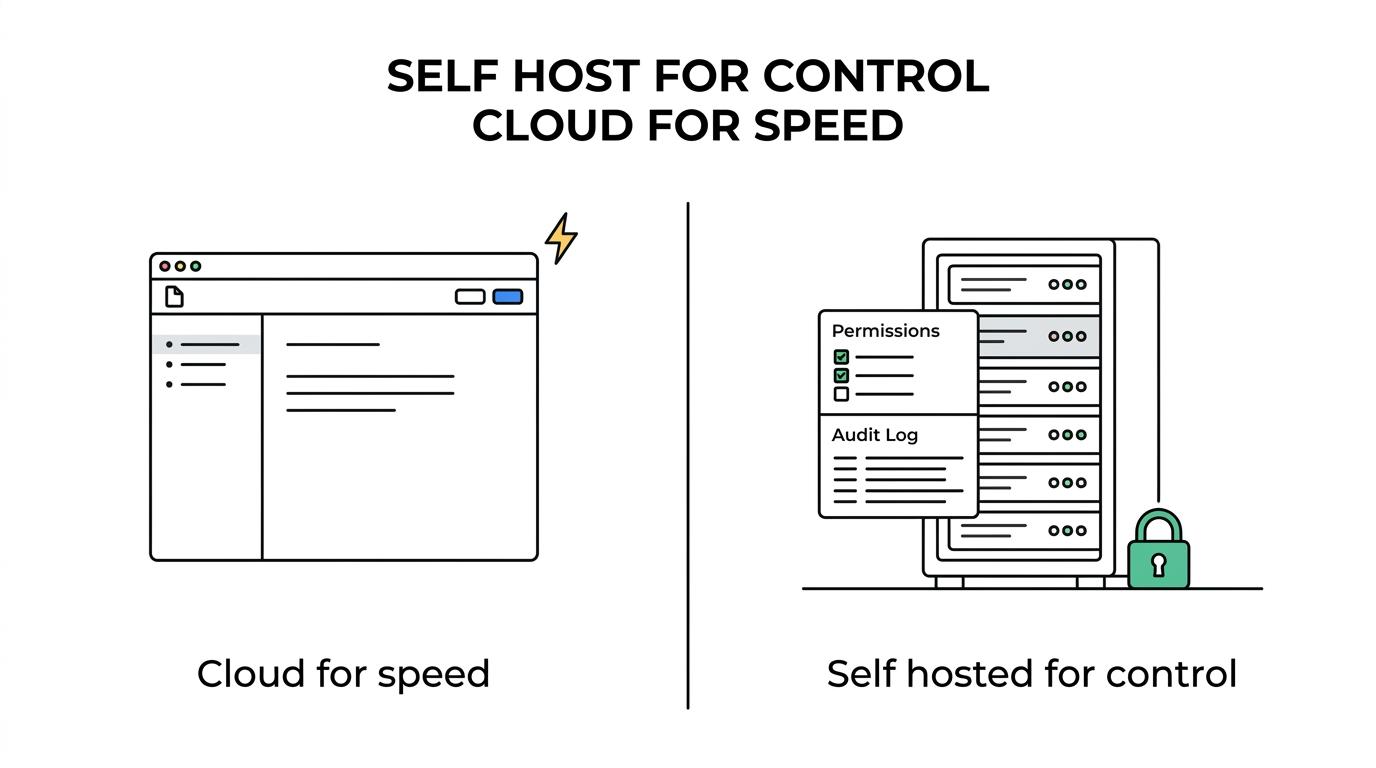
If your documentation is mostly lightweight process notes, product specs, or customer help articles, then fast adoption may matter more than deployment control. If your docs contain sensitive internal designs, audit evidence, or operational procedures, then self-hosting becomes more attractive. The right answer depends less on ideology and more on your risk model.
What are the best self-hosted documentation platforms for teams?
The best self-hosted documentation platforms vary by workflow. Some are classic wikis, some are developer-docs systems, and some are broader workspaces that connect documentation to execution.
The shortlist below covers the most common team needs, from lightweight internal wikis to integrated workspaces.
- TOW: Best for teams that want documentation, projects, workspace memory, and reviewable AI in one self-hosted or cloud environment.
- BookStack: Best for teams that want a simple, book-style internal wiki with a clear content hierarchy.
- Wiki.js: Best for modern teams that want a polished wiki with broad storage and authentication options.
- MediaWiki: Best for large knowledge bases that need proven wiki mechanics and broad extension support.
- DokuWiki: Best for smaller teams that want a file-based wiki with low infrastructure complexity.
- XWiki: Best for organizations that need enterprise-style knowledge management and structured content models.
- Outline: Best for teams that prefer a clean, collaborative editor and a modern knowledge base feel.
- MkDocs: Best for developer teams that want documentation in Git with static-site publishing and review workflows.
The best platform is rarely the one with the longest feature list. It is the one whose content structure matches how your team actually writes, approves, searches, and maintains knowledge.
How should you review security and governance requirements step by step?
Review security and governance in three passes: define boundaries, define roles, then define evidence. That sequence keeps your documentation platform from becoming a blind spot in audit and operational reviews.
Step 1 is boundary definition. Map what the platform stores, who can access it, where it runs, what identity provider it uses, and what systems it connects to. NIST IR 8613 highlights identity and access management, telemetry and logging, configuration and change management, data protection, and compliance and authorization as especially acute challenge areas in complex environments.
Step 2 is role design. NIST SP 800-171r3 stresses separation of duties. If one person can grant access, alter logs, and approve changes, your controls are weaker than they look. A practical model is to separate workspace administration, content ownership, and audit visibility.
Step 3 is evidence. Ask what logs exist, how long they are retained, whether access reviews are documented, and how permission changes are approved. If your team cannot show who accessed what and who changed what, then “self-hosted” is not giving you stronger governance. It is only giving you more responsibility.
How do wiki-style documentation tools compare with integrated workspaces?
Wiki-style tools are best for focused knowledge capture, while integrated workspaces like TOW fit teams that want docs connected to execution, memory, and permission-aware AI. The trade-off is simplicity versus operational context.
A classic wiki is often easier to adopt. People understand pages, hierarchies, links, and search. That simplicity can be a real advantage, especially for policies, onboarding, and reference material. If your team mainly needs a central internal wiki, a dedicated documentation platform may be enough.
Integrated workspaces matter when documentation is part of day-to-day delivery. Forrester describes internal portals, wikis, and document systems as part of a knowledge-management backbone, and it emphasizes consistent documentation structure for easier navigation. That logic gets stronger when docs live near issues, roadmaps, goals, and decisions, because the context stays attached to the work instead of drifting into separate tools.
A common mistake is assuming “all-in-one” automatically means better. It only helps if the product keeps permissions, search, and content structure clean. If the workspace turns every page into a dumping ground, a simpler wiki can outperform it.
How do you estimate total cost of ownership step by step?
Estimate total cost of ownership by adding software, infrastructure, labor, and documentation discipline. Most teams undercount the last two.
Start with direct platform costs. That includes licensing, support subscriptions, hosting, storage, backups, monitoring, and identity integrations. ISO’s guidance is blunt here: open-source platforms may have little or no license cost, but configuration and hosting effort are usually much higher. BranchDev makes the same point in its overview of software maintenance and support services, arguing that patching, monitoring, and operational ownership are usually where self-managed systems become more expensive than they first appear.
Then price operational labor. Count setup time, upgrade windows, incident response, permission administration, template design, and user support. If you need SSO, audit logs, and compliance reviews, your internal labor cost rises fast. If the platform is cheap but every change depends on your infrastructure team, it is not actually inexpensive.
“TOW supports self-hosted and cloud deployment, plus BYOK or TOW-managed AI endpoints, which gives teams more than one way to match platform cost to data-control requirements.”
Finally, price content maintenance. Good documentation requires owners, review cycles, and standards for structure. Forrester’s emphasis on consistent documentation structure is practical, not theoretical. Search degrades when titles, templates, and taxonomies are inconsistent. If no one maintains the system, total cost keeps climbing even if the invoice stays low.
Which features matter most in a self-hosted documentation platform?
The most important features are permissions, search, version history, structured content, and maintainability. Fancy editing matters less than long-term governance and findability.
Before you compare editors or themes, check whether the platform supports the core mechanics your team will need month after month.
- Permissions model: Role-based access control, group support, private spaces, and clear admin boundaries
- Authentication options: SSO, external identity providers, and reliable user lifecycle management
- Version control: Page history, restore options, and visible change attribution
- Search quality: Fast indexing, permission-aware results, and strong metadata handling
- Content structure: Templates, hierarchies, linking, tags, and reusable navigation patterns
- Operational fit: Backup paths, upgrades, logs, migration tools, and infrastructure compatibility
A pro tip here is to test these features with real content, not with a blank demo. A platform that looks clean in a trial can become chaotic once engineering notes, HR policies, support runbooks, and architecture diagrams all land in the same search index.
How do you migrate team knowledge into a new platform step by step?
Migration works best when you move structure before content, and platforms with import paths, including TOW migrations from Jira, Confluence, and Notion, can reduce early friction. The biggest win is usually better organization, not a one-click transfer.
Step 1 is content inventory. Separate active operating knowledge from archives. Teams often migrate too much. If a page has no owner, no traffic, and no current process value, archive it instead of importing it. This keeps the new system useful on day one.
Step 2 is structure design. Define spaces, templates, naming rules, and permission groups before import. This is where “documentation structure” stops being an abstract best practice and becomes a daily usability issue. If the structure is inconsistent, search and navigation will feel broken even when the platform is technically sound.
Step 3 is adoption. Migrate a live team first, give them clear ownership, and connect docs to actual workflows. If documentation is separated from planning, incidents, or approvals, people will keep returning to chat threads and personal notes.
What mistakes cause self-hosted documentation projects to fail?
Self-hosted documentation projects usually fail because ownership, governance, and usage rules are vague. Software choice matters, but operating discipline matters more.
One recurring mistake is treating the platform as a repository instead of a system. A system needs content standards, permission reviews, lifecycle rules, and a clear definition of who maintains what. Without that, search quality drops, duplicates multiply, and trust erodes.
Another mistake is underestimating governance. McKinsey reports that 93% of respondents say they have a framework or policy document in place, yet many organizations still lack formal procedures or maintained records. Documentation tools do not fix that gap on their own. They only make good governance easier to execute when roles, reviews, and inventories already exist.
The last failure mode is choosing for edge cases instead of daily use. If your team writes short operational notes every day, do not optimize only for polished long-form manuals. If your platform works for auditors but frustrates engineers, adoption will stall. The best self-hosted documentation platform is the one your team can govern well and still use without friction.