

If your team tracks work in one tool, writes specs in another, and asks AI to fill in the gaps from scattered records, task management starts to slow down instead of speed up. TOW brings tasks, docs, company memory, and reviewable AI into one workspace so the work itself and the context behind it stay connected.
TOW is built for teams that need more than a ticket board. We give you project management, documentation, search, and AI-assisted work in a self-hosted or cloud workspace, with admin controls, clear data ownership, and a product design aimed at replacing disconnected combinations of Jira, Confluence, Notion, and similar tools.
TOW task management software keeps tickets, docs, decisions, and delivery in one system
TOW treats tickets as connected workspace objects rather than separate products. That means your board, workflow, roadmap, sprint planning can live in the same workspace instead of being stitched together after the fact.
“TOW keeps company context, docs, tasks, decisions, risks, projects, and AI-assisted work in one private workspace.”
TOW projects connect boards, workflows, goals, roadmaps, sprints, and time. TOW docs sit beside delivery work, so specs, decisions, runbooks, and references are available where execution happens, not buried in a separate knowledge tool.
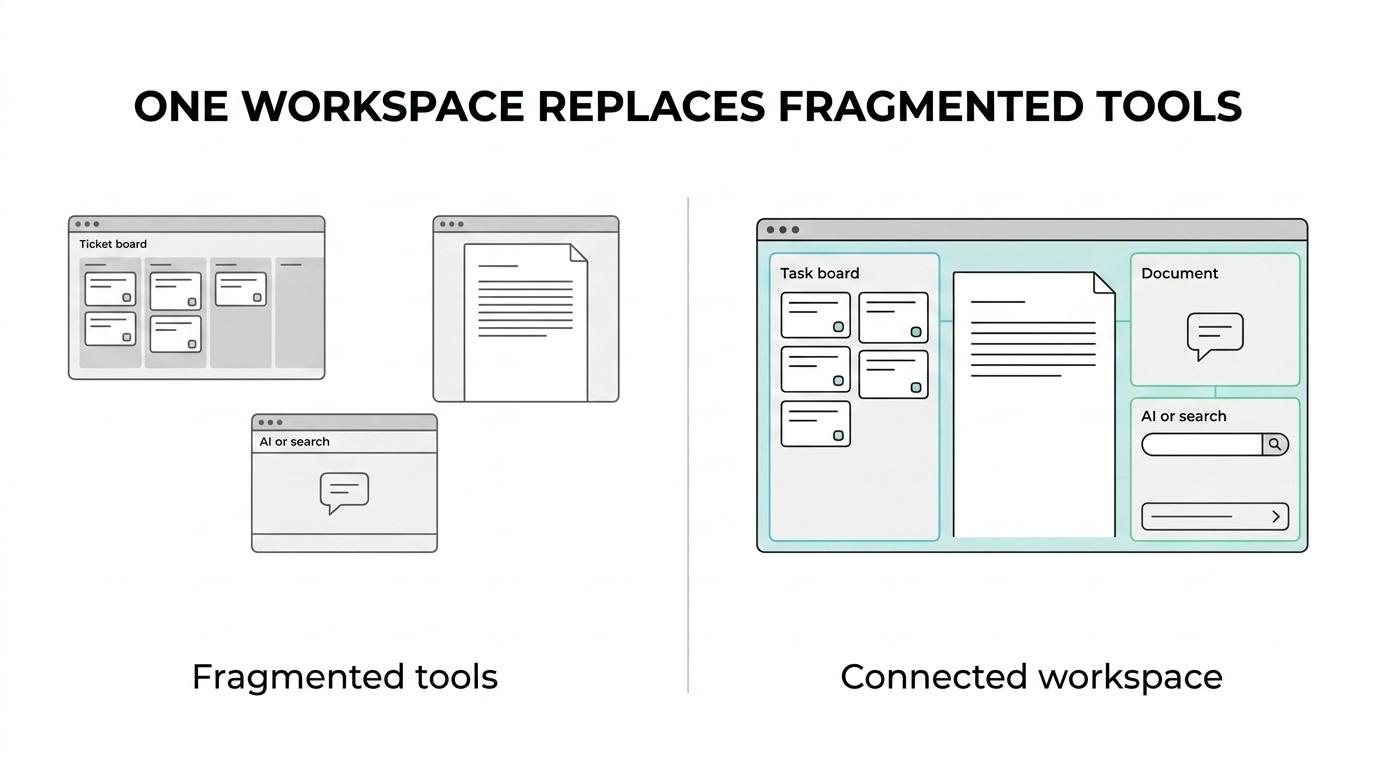
Normal users work across Today, Chat, Docs, Memory, Tickets, Inbox, and personal settings. For your team, that makes day-to-day task execution simpler: fewer tool switches, less duplicate writing, and less time spent asking where the latest decision actually lives.
TOW task management software fits teams that need admin control and data ownership
TOW helps startups, growing companies, and enterprises that want integrated task management and documentation without giving up control over deployment. You can run TOW on your own infrastructure or use the cloud, which gives your team a path that fits internal security, compliance, and operations requirements.
“TOW self-hosting ships with one Compose file, a guided installer, and operations scripts.”
TOW is especially relevant when your buyers care about how AI is configured and where workspace data stays. Memory, docs, tickets, decisions, risks, and snapshots remain in the deployment database and configured storage, while AI model settings are configured in tow.yaml.
You also do not have to force AI adoption on day one. TOW supports BYOK or TOW-managed AI endpoints, and the documented self-hosted setup allows OpenAI and Exa keys to be left blank during installation, so you can start with the workspace and add AI features when your team is ready.
For smaller organizations, TOW also offers a free self-hosted tier, which makes it easier to evaluate the product in a real environment before committing to a broader rollout.
TOW AI search for task management helps you verify answers before acting
TOW search works across Memory, Docs, snapshots, tickets, decisions, risks, and events, depending on the view. TOW AI answers can include references to memory, docs, tickets, decisions, risks, events, or snapshots, so your team can move from a summary to the exact source record behind it.
“TOW search spans Memory, Docs, snapshots, tickets, decisions, risks, and events, with references back to source records.”
That matters when you are triaging delivery risk, checking whether a requirement changed, reviewing an incident follow-up, or asking AI to summarize project history. Instead of accepting a black-box answer, you can inspect the underlying record and decide what to do next with more confidence.
TOW documents that its backend uses the OpenAI Responses API for reasoning and the embeddings API for semantic search. For technical buyers, that is a practical signal: the product’s AI-assisted search follows a known retrieval pattern designed to find relevant sections from a knowledge base rather than answer without context.
TOW also makes AI actions reviewable and permission-aware. So your team gets help with discovery and synthesis, while keeping human review and workspace permissions in the loop.
TOW reduces switching risk with migrations, admin features, and operational safeguards
A new task management system only helps if adoption is realistic. TOW includes admin, authentication, and migrations from Jira, Confluence, and Notion, which makes consolidation more practical for teams already living across multiple tools.
Project admins in TOW manage check-ins, workflows, custom fields, boards, roadmap, and ticket conflict review. Those controls matter when your process needs more than a basic kanban board and when different teams need shared structure without losing project-level flexibility.
Here is what your team gets inside TOW’s task management workspace:
- Execution tools: Issues, boards, goals, roadmaps, workflows, sprints, and time connected inside the same project surface.
- Knowledge tools: Docs and wiki content for specs, decisions, runbooks, references, and workspace memory beside active work.
- Control and visibility: Search, collaboration, notifications, auth, and workspace-aware AI with human review.
TOW also addresses practical deployment concerns that often slow down internal approval. The self-hosted deployment kit includes a guided installer, can set up daily encrypted backups, and writes secrets to .env with file mode 600, which gives technical teams a clearer starting point for operating the workspace responsibly.
When TOW is the right task management software for your team
TOW is a strong fit when you are no longer just choosing a ticket tracker. It makes sense when task execution, documentation, search, and AI-assisted work need to operate together in one controlled environment.
TOW is likely the right fit if:
- You want tasks, docs, memory, decisions, and AI search in one workspace instead of across separate tools.
- You need self-hosted control or cloud deployment with clear data ownership and admin controls.
- You want AI help that stays tied to inspectable source context and supports human review before action.
If your team only needs a simple personal checklist or a lightweight standalone board, TOW may be more workspace than you need. But if your current stack is creating handoff gaps between tickets, docs, and AI answers, TOW is built for exactly that problem.
If you want task management software that keeps execution, documentation, and AI search in the same system, the next step is simple: start with TOW’s free self-hosted tier or talk with us about a cloud deployment, migration path, and the workflow structure your team needs.